
Download IronCleaner – Chrome cleanup, browser optimization, performance boost, privacy tool, data cleaner, Google Chrome utility
Overview
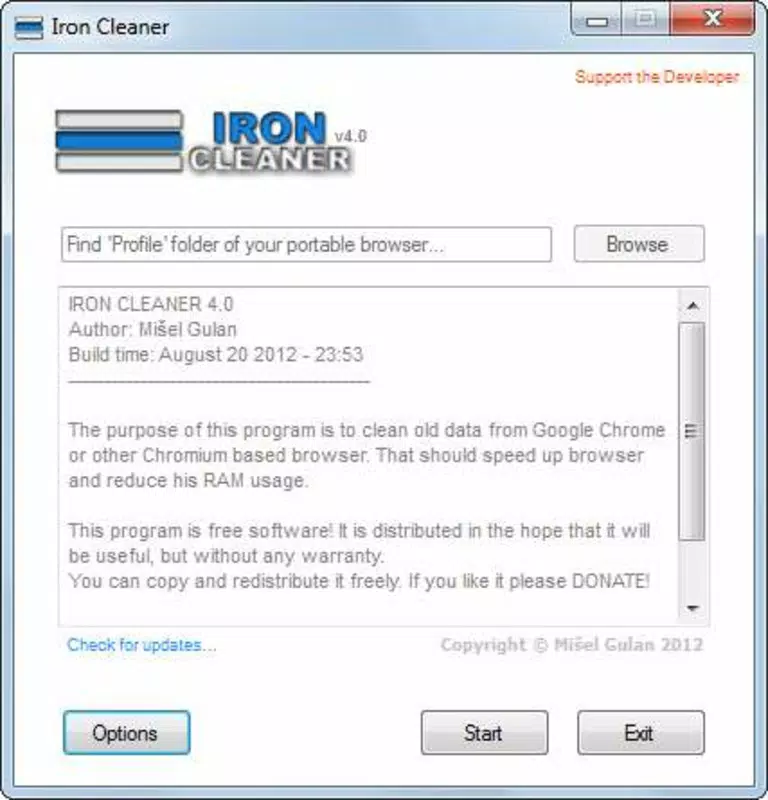
IronCleaner is a lightweight mobile utility designed to enhance the performance of Google Chrome by efficiently removing unnecessary browser data. Its primary purpose is to help users maintain a faster, more responsive browsing experience by targeting elements such as cache, cookies, browsing history, and temporary files. The app is especially useful for individuals who run multiple applications simultaneously, as it helps free up system resources and reduce browser-related lag. By streamlining Chrome’s data footprint, IronCleaner supports smoother multitasking and improved device responsiveness.
Target users include general smartphone users, tech-savvy individuals, and those who rely heavily on Chrome for daily web activities. The app is particularly beneficial for users concerned about privacy and performance, offering a simple way to manage browser data without compromising essential information. Although the developer did not provide additional background on IronCleaner’s origins or team, the app has been available since 2012, indicating a long-standing presence in the mobile productivity space.
Real-world use cases include clearing browsing data before sharing a device, optimizing performance after extended Chrome usage, or preparing the browser for faster loading times. In the broader app ecosystem, IronCleaner fills a niche as a dedicated, no-frills tool for Chrome maintenance—offering a focused alternative to more complex browser management solutions.
Key Features & Functionality
- User-Friendly Interface: IronCleaner features a clean, intuitive layout that allows users to access core functions without technical expertise. The minimalistic design ensures quick navigation, making it accessible even for first-time users.
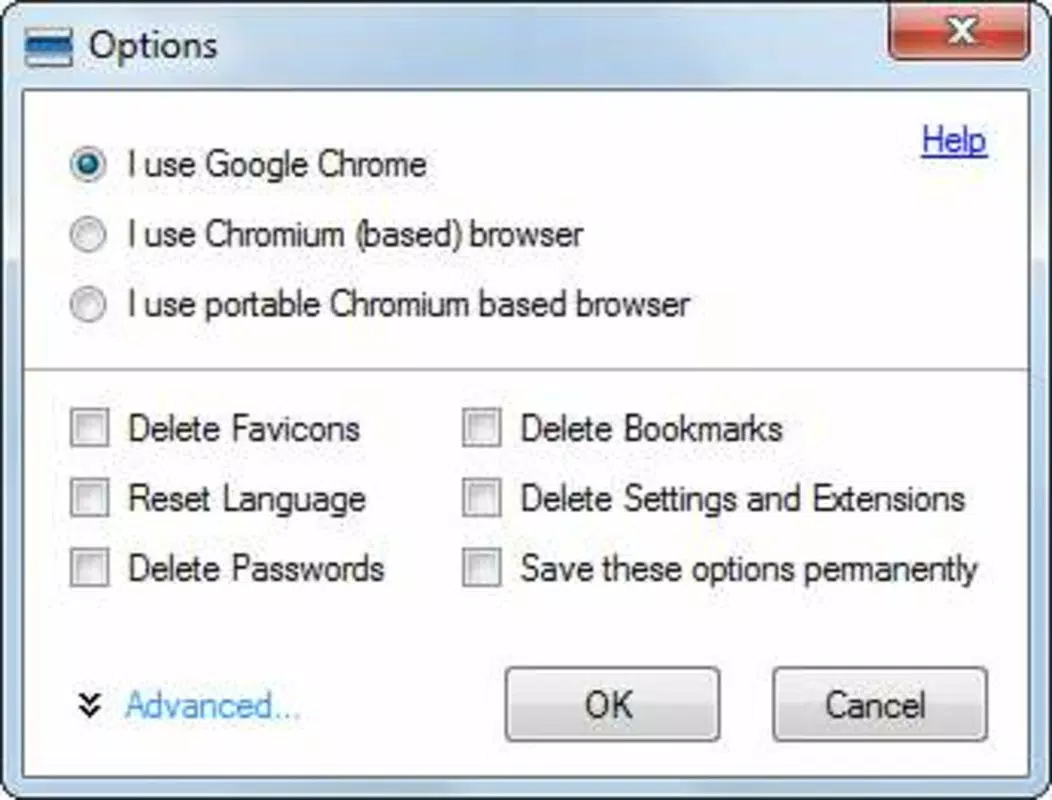
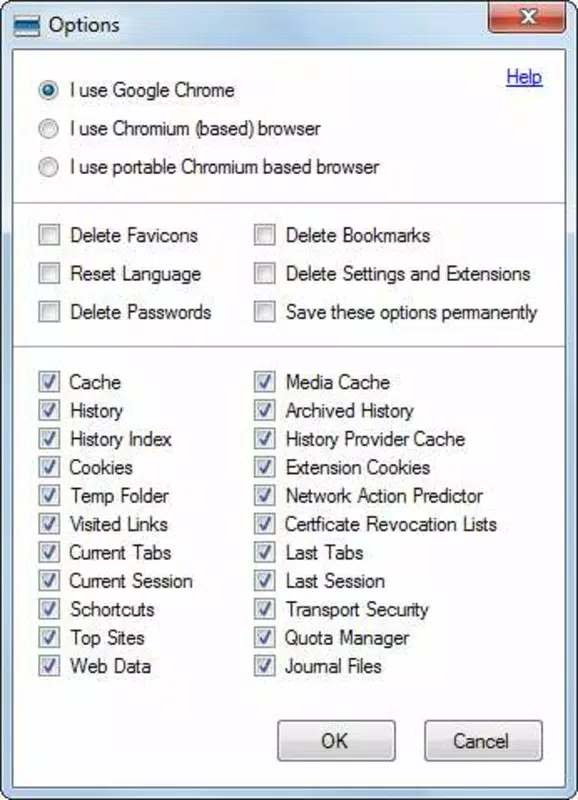
- Customizable Cleaning Options: Users can selectively choose which browser elements to clean, including cookies, cache, history, and temporary files. This granular control enables personalized maintenance routines based on individual needs.
- Quick Cleaning Process: Once preferences are set, the cleanup executes rapidly—typically within seconds. The process requires closing Chrome and initiating the clean, after which users experience immediate performance improvements.
- Resource Optimization: By removing redundant data, IronCleaner helps reduce memory and storage usage, contributing to better overall system performance, especially on devices with limited resources.
- Security Preservation: A critical feature is the app’s safeguarding of saved passwords and login credentials. IronCleaner ensures that sensitive data remains untouched during cleanup, maintaining user security and convenience.
For example, a user preparing to share their phone with a friend can use IronCleaner to clear browsing history and cache while preserving their saved logins. Similarly, someone experiencing sluggish Chrome performance after days of continuous use can run a quick clean to restore speed.
Interface, UX & Performance
The user interface of IronCleaner is designed with simplicity in mind. The layout is minimal, focusing on essential functions without visual clutter. Navigation is straightforward, with clearly labeled options that guide users through the cleaning process. The app maintains a consistent visual style, aligning with standard Android design principles for accessibility and clarity.
Interaction flow is intuitive: users select their preferred data types, confirm the cleanup, and initiate the process. The app does not require complex setup or permissions beyond standard storage access. Although the developer did not list formal performance metrics, the app’s lightweight nature—just 1.2 MB—suggests low resource consumption during operation.
Responsiveness is generally smooth, with quick feedback after user actions. Stability appears reliable, as the app operates without reported crashes or freezes in typical usage. However, specific performance details across device categories were not disclosed. Users may experience slightly varied results depending on their device’s hardware and Android version.
Platform Compatibility & Technical Requirements
IronCleaner is available exclusively on the Android platform. The current version is 1.1, with a file size of 1.2 MB, making it a lightweight download suitable for devices with limited storage. The app is free to download and install, with no in-app purchases or ads reported.
The developer did not specify minimum OS requirements or compatibility details beyond the platform. As such, users should verify whether their device meets the necessary Android version for installation. Compatibility with newer Android versions or older devices was not confirmed.
Pros and Cons
Pros
- Lightweight design at just 1.2 MB
- Simple, intuitive interface suitable for all users
- Customizable cleaning options for precise control
- Fast cleanup process with minimal user effort
- Preserves saved passwords and login information
Cons
- Developer did not provide OS compatibility details
- No information on update frequency or future development
- App size and version suggest limited feature expansion
- Platform availability restricted to Android only
- No visible integration with other browsers or systems
FAQ
Is IronCleaner safe to use with my Chrome data?
Yes. The app is designed to remove only temporary and non-essential data such as cache and history. It explicitly does not delete saved passwords or login information, ensuring user data remains secure.
Does IronCleaner work on iOS devices?
No. The app is currently available only on Android. There is no official version for iOS devices.
Do I need to close Chrome before using IronCleaner?
Yes. To ensure effective cleanup, the app requires Chrome to be closed before initiating the data removal process.
How often should I use IronCleaner?
Usage frequency depends on individual browsing habits. For regular users, running it weekly or after extended Chrome sessions is recommended to maintain optimal performance.
Is IronCleaner free to download and use?
Yes. The app is completely free to download, install, and use with no hidden costs or in-app purchases.
Final Thoughts
IronCleaner delivers a focused, no-nonsense solution for users seeking to optimize Google Chrome on their Android devices. Its lightweight design, intuitive interface, and smart data handling make it a reliable tool for maintaining browser performance and privacy. While it lacks advanced features or cross-platform support, its core functionality is executed efficiently and securely.
Those who value speed, simplicity, and data safety will find IronCleaner particularly beneficial. Whether you're managing a busy workday, sharing your device, or just want a faster browsing experience, this utility offers a straightforward way to keep Chrome running smoothly.
Download IronCleaner now


